
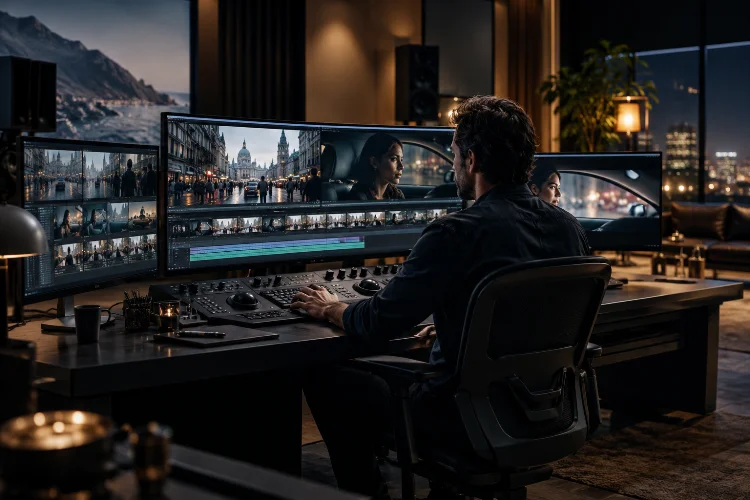
Have you ever watched a movie scene that flows so naturally you completely forget it’s made from dozens, sometimes hundreds, of separate shots?
One moment, you’re following a character through a crowded street. Seconds later, you’re inside a moving vehicle, watching an intense conversation unfold. Somehow, every transition feels perfectly connected.
That’s the magic of professional film editing.
While cinematography captures the images, editing transforms those images into a cohesive emotional experience. It controls what audiences see, when they see it, and how they interpret everything happening on screen.
But creating genuinely smooth sequences involves much more than placing clips together on a timeline.
Advanced film editing techniques combine visual continuity, precise timing, sound manipulation, motion matching, and narrative structure to make complicated sequences feel effortless.
Some approaches are almost invisible, while others deliberately attract attention to communicate deeper meaning.
In this guide, we’ll explore the methods professional editors use to construct seamless movie sequences, examine famous cinematic examples, and discover practical strategies that can improve almost any video production.
Whether you’re an aspiring filmmaker, experienced editor, or curious movie enthusiast, understanding these techniques can completely change how you experience cinema.
1. Understanding the Art of Seamless Film Editing
The best editing often goes unnoticed.
That might sound strange considering how much time editors spend refining individual frames, adjusting transitions, and experimenting with different shot combinations.
However, their primary objective isn’t necessarily to showcase technical complexity. It’s to maintain audience engagement while guiding viewers through the story.
What Makes a Movie Sequence Feel Seamless?
Seamless editing creates the impression that visual information, character movements, emotional reactions, and narrative events belong together.
The audience can follow what’s happening without constantly reconsidering where characters are standing or why the camera suddenly changed positions.
This doesn’t mean every cut must be hidden.
A sharp transition can feel completely natural when it arrives at the right emotional moment. Similarly, a deliberately noticeable edit can enhance storytelling when the sudden change has a clear purpose.
The important distinction is whether an editorial decision supports or interrupts the viewing experience.
For example, imagine a character reaching toward a door handle.
The first shot establishes the character approaching the door. The next shows a close-up of the hand turning the handle, followed by an interior view as the door opens.
When the movements connect correctly, viewers interpret the three shots as one continuous action.
That’s seamless editing in its most recognizable form.
Emotion Matters More Than Technical Perfection
Legendary film editor Walter Murch introduced an influential framework known as the Rule of Six in his book In the Blink of an Eye.
His approach prioritizes emotion, story, rhythm, eye trace, screen plane, and spatial continuity when evaluating an edit.
Interestingly, emotion receives the greatest emphasis.
An edit might technically maintain perfect continuity but still feel wrong if it interrupts an important performance.
Conversely, a slight mismatch may be barely noticeable when the emotional transition feels convincing.
This principle helps explain why advanced editing requires storytelling instincts alongside technical knowledge.
2. Continuity Editing: Building a World That Never Feels Broken
Continuity editing forms the foundation of traditional narrative filmmaking.
Its purpose is to maintain consistent relationships between time, space, movement, and character positioning across different shots.
Without these relationships, even relatively simple conversations can become confusing.
The 180-Degree Rule and Spatial Consistency
The 180-degree rule is one of the most widely recognized principles of cinematic continuity.
Imagine two characters sitting opposite each other at a restaurant table.
An imaginary line connects them, and the cameras generally remain on one side of that line.
As a result, one character consistently appears to look toward screen left while the other looks toward screen right.
This relationship makes their conversation visually understandable.
When the camera suddenly crosses the imaginary axis without establishing a new orientation, viewers may become disoriented.
However, professional filmmakers sometimes break this guideline intentionally.
Stanley Kubrick’s The Shining (1980), for example, demonstrates how departures from conventional screen geography can contribute to an unsettling atmosphere.
The lesson is simple: continuity rules are storytelling tools, not absolute restrictions.
Match on Action: Hiding Cuts Inside Movement
Match on action, sometimes called cutting on action, is particularly useful for connecting shots filmed from different angles.
Imagine a character throwing a punch.
The editor might begin with a medium shot showing the movement, then switch to a closer angle as the punch continues.
Because the physical action carries across the cut, viewers perceive a single uninterrupted event.
This approach works because movement naturally captures attention.
Audiences are more interested in following the action than examining the precise transition between camera positions.
For an effective match on action, editors usually examine the direction, speed, body position, and timing of the movement.
Even a small mismatch can make the action feel awkward.
A useful editing exercise involves recording someone sitting down from three different angles, then building one continuous movement from those recordings.
Eyeline Matching and Reaction Shots
Eyeline matching maintains logical relationships between what characters look at and what the audience subsequently sees.
If someone glances toward the upper-right portion of the frame, the following shot should make their attention understandable.
This technique becomes particularly important during shot-reverse-shot conversations.
Reaction shots also contribute to continuity by connecting dialogue with emotional responses.
Sometimes showing a listener’s expression is more meaningful than remaining focused on the person speaking.
According to StudioBinder’s guide to continuity editing, techniques such as eyeline matching, action matching, and the 180-degree rule work together to preserve the audience’s understanding of cinematic space.
3. Match Cuts and Visual Transitions That Connect Different Worlds
Some of the most sophisticated movie transitions connect shots that aren’t directly related in physical space or time.
These edits rely on visual similarity, symbolic relationships, or repeated movements.
The result can feel surprisingly natural while also communicating deeper narrative meaning.
Graphic Match Cuts and Visual Symbolism
A graphic match cut links two images through comparable shapes, colors, compositions, or visual patterns.
One of the most famous examples appears in Stanley Kubrick’s 2001: A Space Odyssey (1968).
A bone thrown into the air transitions to a spacecraft in orbit.
The two objects are separated by an enormous period of human history, yet their placement and movement create a striking visual connection.
Rather than explaining technological evolution through dialogue, the transition communicates a relationship between primitive tools and advanced technology.
That’s what makes graphic matching so powerful.
It allows visual composition to carry information that might otherwise require extensive exposition.
Lawrence of Arabia: Connecting Images Through Meaning
David Lean’s Lawrence of Arabia (1962) provides another celebrated example.
An extinguished match is followed by a dramatic sunrise over the desert.
The transition moves between entirely different environments while connecting the images through brightness and visual association.
This is not an invisible cut in the conventional sense.
Instead, it creates an elegant and memorable transition that advances the narrative.
The editor trusts viewers to recognize the connection without providing an explanation.
How to Create Better Match Cuts
Creating successful graphic transitions requires preparation before editing begins.
Filmmakers should consider visual relationships while developing their shot lists, storyboards, and camera compositions.
Imagine transitioning from a spinning bicycle wheel to an industrial ventilation fan.
If both objects rotate in the same direction and occupy similar positions within the frame, the transition can feel surprisingly fluid.
Editors can refine the effect through scale adjustments, timing, cropping, and color correction.
However, the objective shouldn’t be making every transition visually clever.
Use a match cut when it strengthens the narrative, connects ideas, or improves the movement between scenes.
Adobe’s guide to match cuts explains how graphic, action, and audio-based matching can help create smoother and more expressive cinematic transitions.
4. J-Cuts, L-Cuts, and Sound Bridges Create Invisible Connections
Visual editing receives most of the attention, but audio is often responsible for making transitions feel natural.
Sound can prepare audiences for a new environment before the image changes.
It can also preserve emotional continuity after the camera moves somewhere completely different.
J-Cuts: Letting the Next Scene Arrive Early
A J-cut introduces audio from the upcoming shot before the corresponding image appears.
Imagine watching a character close their laptop after a difficult workday.
Before the picture changes, you begin hearing heavy rain and distant traffic.
A moment later, the scene transitions to the character walking outside.
The sound has already prepared your brain for the location change.
This technique is especially useful during conversations, environmental transitions, and dramatic revelations.
It can also generate suspense.
For example, introducing the sound of approaching footsteps before revealing their source encourages audiences to anticipate what’s coming.
L-Cuts: Allowing Emotion to Continue Across Shots
An L-cut works in the opposite direction.
Audio from the previous shot continues after the visual transition.
Imagine a character receiving devastating news during a telephone conversation.
The editor cuts to the character sitting silently in a dark room, but the final words from the telephone call continue playing.
That overlap creates emotional continuity between two separate moments.
The audience doesn’t experience a sudden psychological reset simply because the location changes.
L-cuts are also extremely effective in dialogue scenes.
An editor can keep one character speaking while showing the other person’s expression, hesitation, or physical response.
This often makes conversations feel more authentic.
Room Tone and Ambient Sound Continuity
Room tone refers to the subtle background sound of a particular recording environment.
Air conditioning, distant traffic, ventilation systems, and other ambient noises contribute to a location’s acoustic identity.
When these background sounds suddenly disappear between edits, audiences may notice an unnatural change.
Editors can use consistent ambient layers and carefully controlled audio crossfades to maintain the illusion of uninterrupted space.
Good sound editing doesn’t necessarily mean adding more effects.
Sometimes it means removing distractions and ensuring every acoustic transition feels intentional.
Adobe’s Premiere Pro documentation explains how J-cuts and L-cuts separate audio and video transition points to improve the flow between shots.
5. Rhythm, Pacing, and Eye Trace in High-Energy Movie Sequences
Fast editing doesn’t automatically create excitement.
In fact, rapid cutting can make action scenes exhausting when viewers struggle to understand where important events are happening.
Successful pacing depends on more than shot duration.
It involves balancing visual clarity, movement, sound, and emotional intensity.
Mad Max: Fury Road and Center-Framed Action
George Miller’s Mad Max: Fury Road (2015) demonstrates how extremely energetic editing can remain visually understandable.
Editor Margaret Sixel assembled a film containing approximately 2,700 shots, according to film editor Vashi Nedomansky’s analysis.
Despite its remarkable cutting frequency, much of the action remains relatively easy to follow.
One major reason is center framing.
Important visual information frequently appears near the middle of the screen, reducing the distance viewers must move their eyes between shots.
A character’s face, a moving vehicle, or an important weapon might occupy a similar screen position across successive images.
The audience can process the action quickly without constantly searching for the next focal point.
This technique illustrates the importance of eye trace.
Understanding Eye Trace in Film Editing
Eye trace describes how an editor anticipates and guides the viewer’s attention from one shot to another.
Suppose a character looks toward something moving across the right side of the screen.
If the next shot places the important object in a visually compatible location, the transition requires less mental adjustment.
Motion direction, contrast, composition, and subject placement all influence how the audience follows information.
The technique becomes especially valuable in complicated action sequences.
Without careful attention to eye trace, even spectacular choreography can become difficult to understand.
Choosing the Right Editing Rhythm
Rhythm develops through the relationship between shot lengths, character actions, dialogue, music, and dramatic expectations.
A rapid sequence might create excitement, panic, or urgency.
Longer shots can generate uncertainty, intimacy, or discomfort.
Consider a character waiting for an important answer.
Cutting rapidly between faces may communicate nervousness, while holding a close-up can allow emotional tension to grow naturally.
Neither approach is automatically better.
The appropriate decision depends on the storytelling objective.
An experienced editor learns to recoginze when a scene needs acceleration and when an additional moment of silence will create greater impact.
6. Parallel Editing and Time Manipulation Expand Narrative Possibilities
Sometimes seamless storytelling requires moving between entirely different locations, characters, or time periods.
This is where parallel editing and temporal manipulation become particularly useful.
These techniques can transform complicated story structures into understandable cinematic experiences.
Cross-Cutting Between Simultaneous Events
Cross-cutting alternates between separate actions, often suggesting that the events are happening simultaneously.
Imagine a police officer racing toward a building while another character attempts to escape from inside.
The editor moves between the approaching vehicle and the trapped character.
As the situation becomes more urgent, the intervals between shots may become shorter.
This generates suspense because the audience understands how both situations are developing.
Christopher Nolan’s Inception (2010) offers a more complex example.
Its climax interweaves events unfolding across different dream levels, where time behaves differently.
Editing allows audiences to follow multiple connected objectives while maintaining a sense of narrative urgency.
The sequences aren’t physically continuous, but their relationships remain understandable through recurring characters, visual distinctions, and cause-and-effect connections.
Temporal Ellipsis: Skipping Time Without Losing Meaning
Temporal ellipsis allows filmmakers to omit portions of time that aren’t necessary for the story.
Imagine a character leaving home, followed immediately by a shot of that person entering an office.
The audience understands that travel occurred without needing to watch the entire journey.
This approach maintains narrative momentum while removing repetitive or unimportant actions.
Editors often use establishing shots, recurring environmental details, or sound transitions to make these time jumps easier to understand.
A stronger ellipsis preserves enough context for viewers to understand what has changed.
Speed Ramping and Time Compression
Speed ramping changes playback speed within a shot, creating transitions between slow motion, normal motion, and accelerated movement.
It’s frequently used in action filmmaking, music videos, and stylized sequences.
However, effective speed manipulation requires more than randomly accelerating footage.
The changes should emphasize meaningful actions or guide viewers toward important moments.
For instance, slowing down immediately before a dramatic impact can intensify anticipation.
Returning to normal speed afterward may restore the sense of physical force.
Editors should also consider whether motion blur, frame interpolation, and the source footage’s frame rate support the intended effect.
Poorly executed speed changes can produce distracting movement artifacts.
When used with precison, temporal manipulation adds expressive possibilities without sacrificing visual clarity.
7. Invisible Cuts, Long Takes, and the Illusion of Continuous Movement
Some of cinema’s most technically ambitious sequences appear to unfold without a single edit.
These moments challenge conventional filmmaking because they require precise collaboration between camera operators, actors, production designers, visual effects teams, and editors.
Interestingly, many seemingly uninterrupted sequences contain carefully concealed transitions.
1917: The Illusion of a Continuous Journey
Sam Mendes’ 1917 (2019) is one of the clearest modern examples of invisible editing.
The film follows two British soldiers during World War I and presents much of their journey as though it were captured in one continuous take.
In reality, the production combines multiple shots through carefully designed transitions.
Editor Lee Smith worked closely with cinematographer Roger Deakins and the production team to maintain the illusion.
According to the British Film Institute’s analysis, moments of darkness and close framing helped disguise connections between shots.
The film also features an intentional, noticeable cut to black after a major narrative event.
That interruption demonstrates how an editing decision can become dramatically meaningful after audiences have grown accustomed to uninterrupted movement.
How Hidden Cuts Actually Work
Editors can conceal transitions using several practical methods.
One approach involves allowing an object or person to temporarily fill the entire frame.
When the image becomes sufficiently obscured, the editor can connect two different takes at that moment.
Rapid camera movement offers another opportunity.
A whip pan creates motion blur that can disguise differences between adjacent shots.
Dark environments, close-up surfaces, and carefully matched camera movements can also provide useful transition points.
Digital compositing extends these possibilities by allowing visual effects artists to adjust frame alignment, background elements, lighting, and movement.
However, digital tools cannot automatically solve poor planning.
The strongest hidden edits are usually designed during preproduction, long before the footage reaches the editing timeline.
Practical Workflow for Building Seamless Sequences
A professional post-production workflow begins with understanding the narrative purpose of the scene.
Rather than immediately experimenting with transitions, editors should first identify the most important actions, emotional turning points, and visual relationships.
A rough assembly can establish the structure without demanding technical perfection.
Once the sequence communicates the intended story, the editor can refine continuity and pacing.
This might involve trimming several frames, adjusting shot order, matching movement, or choosing stronger reaction shots.
Audio editing should develop alongside visual refinement rather than being postponed until every picture edit is complete.
Next comes technical polish.
Color matching helps ensure that adjacent shots have consistant exposure, contrast, and overall appearance.
Sound mixing creates coherent acoustic environments, while visual effects adjustments eliminate distracting discontinuities.
Finally, the editor should watch the sequence without looking at the timeline.
This is important because audiences experience the finished film, not the complexity of the editing process.
A transition that appears technically impressive in isolation might feel unnecessary when viewed within the full scene.
Testing the sequence with fresh viewers can also reveal issues that the editor has stopped noticing.
If viewers become confused about movement, geography, or narrative relationships, something may need further refinement.
The objective is not to hide every cut.
It’s to make each editorial choice feel connected to the story being told.
Advanced film editing is about much more than smooth transitions or sophisticated post-production software.
The most effective sequences combine continuity editing, match cuts, sound bridges, eye trace, pacing, temporal manipulation, and carefully designed hidden edits.
Films such as Mad Max: Fury Road, 2001: A Space Odyssey, Inception, and 1917 demonstrate how different editorial approaches can create visually impressive yet emotionally engaging experiences.
What connects these techniques is their commitment to clear storytelling.
A successful edit doesn’t simply join two images. It guides attention, preserves meaning, and strengthens the audience’s connection to the narrative.
Whether you’re producing a short film, documentary, or cinematic video project, start experimenting with these methods in your next edit.
Study your favorite movie sequences, examine their transitions, and challenge yourself to create a scene where every cut serves a purpose.
